The store will not work correctly when cookies are disabled.
AppleCare+
By proceeding you are agreeing to be bound by the Terms and Conditions of Sale and the AppleCare+ Terms & Conditions. These are standard terms on which we intend to rely. For your own benefit and protection it is important that you read the Terms and Conditions of Sale, the AppleCare+ Terms and Conditions, the Key Facts Document and the Initial Disclosure Document carefully before you do so. If you do not understand anything, or have any questions, please call the Apple Contact Centre www.apple.com/uk/support/.
I am resident in the United Kingdom, but I do not reside on the Isle of Man or the Channel Islands.
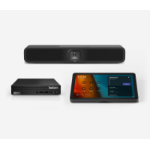
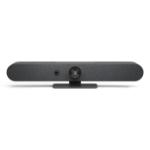
Upgrade your small spaces with entry-level Microsoft Teams Rooms solutions with a Logitech Tap with USB Kit controller, Logitech MeetUp 2 and Lenovo ThinkSmart Tiny mini PC.
UPGRADE YOUR SMALL ROOMS Transform your small rooms and BYOD spaces into certified Microsoft Teams Rooms with this preconfigured solution. Collaborate more effectively with richer audio and video in a Teams Rooms on Windows experience.
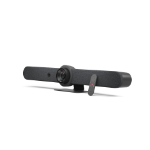
RICHER VIDEO AND AUDIO WITH MEETUP 2 The solution includes MeetUp 2, an all-in-one USB conference camera designed for smaller spaces that’s packed with next-gen video and audio and is simple to deploy and manage.
ONE-TOUCH TO JOIN WITH TAP WITH USB KIT Make video meetings simple to join with a touch controller. Tap with USB Kit has a responsive 10.1” screen, enables wireless or HDMI-based content-sharing, and has a motion sensor for always-on readiness, bringing ease and convenience to Teams Rooms on Windows.
RUN OPERATIONS WITH LENOVO i3 COMPUTE Run Teams Rooms on Windows through the included and certified Lenovo ThinkSmart Tiny i3 mini PC. Power richer Microsoft Teams experiences for immersive collaboration.
SIMPLE CABLING FOR SMALL SPACES Connect the Tap with USB Kit controller up to 5 meters away from the mini PC with a single USB cable for both data and power.
MULTIPLE MOUNTING OPTIONS Easily place and secure devices to best suit your room environment. MeetUp 2 comes with a Multi Mount to easily attach the device to a display, table, or wall; add optional mounts to the Tap controller to secure to table grommets or to the wall; secure the mini PC with a Logitech Compute Mount for cable retention and secure placement. - Mount MeetUp 2 to a display, table or wall - Add a mount for the Tap controller - Secure the PC with Compute Mount