The store will not work correctly when cookies are disabled.
AppleCare+
By proceeding you are agreeing to be bound by the Terms and Conditions of Sale and the AppleCare+ Terms & Conditions. These are standard terms on which we intend to rely. For your own benefit and protection it is important that you read the Terms and Conditions of Sale, the AppleCare+ Terms and Conditions, the Key Facts Document and the Initial Disclosure Document carefully before you do so. If you do not understand anything, or have any questions, please call the Apple Contact Centre www.apple.com/uk/support/.
I am resident in the United Kingdom, but I do not reside on the Isle of Man or the Channel Islands.
Instructional Tools are designed to meet the needs of Primary/K-12 educators and students in the classroom. We focus on features that foster collaboration and engagement to enhance the classroom experience.
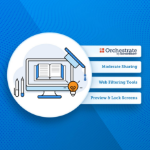
Orchestrate by ScreenBeam - Fully moderated screen sharing for teachers and students - Real-time visibility of student devices - Teacher controlled web filters - Push URLs to student devices - Auto-rostering connects student devices automatically - Integration with ClassLink and One Roster - Optional chat feature allows educators to collaborate with students - Share snapshot – push teacher content (screenshot, camera view, etc) to student devices.
Moderate Screen Sharing - Teacher is always in control of screen casting experience in classroom - Simple tools to share student screen to front of room display - Easy to switch between Teacher and Student screensharing - Wireless Ink/Annotation support on casted screen with Windows devices
Live Preview of Student Screens - See up to 50 student screens in thumbnail view - Zoom in on a single student screen to get a better view into what they are doing - Grab a screenshot of student screen for formative assessment
Teacher Web Filtering Tools - Only active during class - Create block lists for distracting web pages - Create allow lists to tailor a lesson plan
Lock Keyboards/Blank Screens - Screens are locked with custom message - Keyboards and mice are locked - Lock all or individual student screens