The store will not work correctly when cookies are disabled.
AppleCare+
By proceeding you are agreeing to be bound by the Terms and Conditions of Sale and the AppleCare+ Terms & Conditions. These are standard terms on which we intend to rely. For your own benefit and protection it is important that you read the Terms and Conditions of Sale, the AppleCare+ Terms and Conditions, the Key Facts Document and the Initial Disclosure Document carefully before you do so. If you do not understand anything, or have any questions, please call the Apple Contact Centre www.apple.com/uk/support/.
I am resident in the United Kingdom, but I do not reside on the Isle of Man or the Channel Islands.
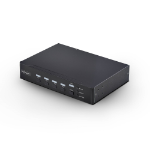
Control up to four DisplayPort computers with mouse roaming, quad view, and picture-in-picture support
Streamline complex workflows by managing up to four DisplayPort computers from a single keyboard, mouse, and display. With support for true 4K 60 Hz (4:4:4) resolution, this multiview KVM delivers crisp text and precise visuals across Windows, macOS, and Linux workstations.
Multiview Monitoring
Maintain full awareness and react faster by viewing multiple systems at once. Flexible display modes including Quad-View, Picture-in-Picture (PiP), and Picture-by-Picture (PbP) let you monitor and compare the four sources.
Instant Switching With Continuous Video
Move seamlessly between systems using mouse roaming with zero latency and no screen blackout. Continuous video output keeps every system visible at all times, eliminating delays caused by switching or waiting for auto-scan cycles, reducing disruption in control rooms, industrial environments, and other time-sensitive operations.
Switch Your Way
Adapt the KVM to your environment with multiple switching methods. Use front-panel buttons, keyboard hotkeys, mouse roaming, mouse side buttons, or serial control via RJ-11 or USB-C to support hands-on use, remote management, or automated workflows.
Built-In Dual Display Output
Mirror the KVM output to two displays simultaneously using DisplayPort and HDMI. Use a local desktop monitor for hands-on control while displaying the same view on a larger wall-mounted TV for monitoring or team visibility. This dual console output improves visibility, collaboration, and redundancy without requiring external splitters or additional hardware.