The store will not work correctly when cookies are disabled.
AppleCare+
By proceeding you are agreeing to be bound by the Terms and Conditions of Sale and the AppleCare+ Terms & Conditions. These are standard terms on which we intend to rely. For your own benefit and protection it is important that you read the Terms and Conditions of Sale, the AppleCare+ Terms and Conditions, the Key Facts Document and the Initial Disclosure Document carefully before you do so. If you do not understand anything, or have any questions, please call the Apple Contact Centre www.apple.com/uk/support/.
I am resident in the United Kingdom, but I do not reside on the Isle of Man or the Channel Islands.
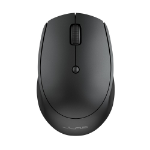
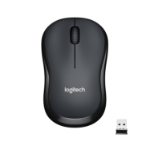
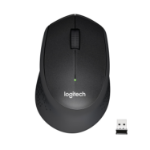
CLICK CLICK GO The GO Wireless Bluetooth Mouse is small, comfortable in your hand, and dare we say—kind of cute? Your everything go-to, it goes with you from desk to café to coworking space and beyond. We see you digital nomads. Three saved device connections mean you can seamlessly switch connections as easily as you switch filters.
FLEXIBLE CONNECTIONS The GO Mouse is compatible with three—count ‘em, three!—device connection options. You can pair with nearly any type of device using Bluetooth 5 or USB. We hate pairing confusion too, so we made it super easy for you to switch between saved devices.
QUIET CLICKS We’re very familiar with the looks you get from your newly appointed WFH colleagues, fellow café-goers, and napping pets when clicking gets out of hand. That’s why we design all of our mice with silent buttons—so you can click away without raising any eyebrows (or ears).
SLEEK DESIGN Designed to be ultra-compact and lightweight, this wireless mouse will feel just as comfortable in your work-from-home setup as it is being toted around to offsite work sessions or an afternoon at the coffee shop.
SCROLL YOUR WAY Adjustable tracking allows you to change the sensitivity of your mouse, so you can move at your own speed. Whether you like to click around on turbo or leisurely make your way down a page, the GO Wireless Mouse will adjust to the right pace for you.
COMFORT IN HAND When you think about it, a computer mouse is kind of personal. After all, you might be connected to it for almost eight hours a day. We thought about all the ways you need to use it and made sure to design for maximum comfort and functionality. Some call it ergonomic, we just call it designed perfectly for you.