The store will not work correctly when cookies are disabled.
AppleCare+
By proceeding you are agreeing to be bound by the Terms and Conditions of Sale and the AppleCare+ Terms & Conditions. These are standard terms on which we intend to rely. For your own benefit and protection it is important that you read the Terms and Conditions of Sale, the AppleCare+ Terms and Conditions, the Key Facts Document and the Initial Disclosure Document carefully before you do so. If you do not understand anything, or have any questions, please call the Apple Contact Centre www.apple.com/uk/support/.
I am resident in the United Kingdom, but I do not reside on the Isle of Man or the Channel Islands.
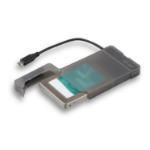
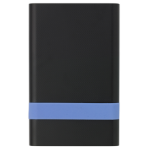
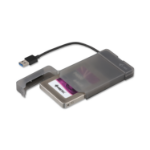
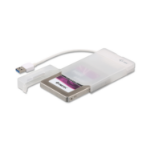
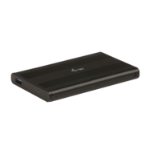
i-tec MySafe USB-C 3.1 Gen. 2 easy, external case for hard drive 9.5 mm / 2.5" for SATA I/II/III HDD SSD, USB-C 3.1 Gen. 2 interface with data transfer rate up to 10 Gbps, compatible with Thunderbolt 3
i-tec MySafe USB-C Easy, external case for connecting 2.5" SATA disks to your PC, laptop, TV or other multimedia device through USB-C interface, with power supply. You can use the external case for data migration, backup or data recovery. USB-C 3.1 Gen. 2 interface with speeds up to 10 Gbps, data transfer is therefore up to 2x faster than the previous version. Interface is compatible with Thunderbolt 3.
Operation is very simple, the disk is inserted into the frame, and the drivers are automatically installed after the first connection. You can use a separate external frame adapter, to quickly connect the disk to your computer. Enclosed plastic box can be used to safely transfer a disk.
Connect any 2.5" SATA I /II/III disk up to 9.5 mm high, to your computer. You can transfer data up to 2x faster than before thanks to USB-C 3.1 Gen. 2 interface. External case is compatible with Thunderbolt 3.
Inserting or replacing a disk is very quick and easy. No screws are required, just insert the drive directly into the SATA connector of the adapter and connect it directly to the computer. Installation of the drivers takes place automatically.
You can use a separate external frame adapter, to quickly connect the disk to your computer. The USB-C cable is integrated, which ensures that you will not lose it. The enclosed plastic box can be used to safely transfer a disk or to store an adapter without an inserted disk.